Weavetech

7 Tips for Choosing the Best Wireless Intercom Speaker?

Choosing the right Wireless Intercom Speaker is more demanding than comparing volume levels and product photos. In a busy warehouse, a weak microphone can turn a simple instruction into repeated calls. At a school entrance, unclear audio may delay a visitor response. In a hotel, background music, glass walls, and long corridors can expose poor equipment quickly. These real operating conditions matter more than impressive specifications.

Industry research supports this shift toward practical evaluation. Grand View Research’s 2024 smart home market analysis identifies connected security and communication devices as important growth areas. MarketsandMarkets also reports continued expansion in wireless communication technologies, driven by flexible installation and reduced cabling requirements. However, market growth does not guarantee reliable performance. Reports often group different devices together, while actual intercom quality depends on range, interference control, battery endurance, microphone sensitivity, and network stability. That distinction deserves attention.

This guide presents seven practical tips for selecting a Wireless Intercom Speaker with greater confidence. It considers voice clarity, transmission distance, installation conditions, power options, durability, compatibility, and support quality. A speaker may sound excellent in a quiet showroom but fail beside machinery or through concrete walls. Test before trusting it. Ideally, compare two models in the same environment, using the same distance and background noise. I would not rely on advertised range alone; real buildings are rarely as friendly as laboratory spaces. The best choice balances technical evidence, user experience, and long-term operating costs. That balance is easy to miss.
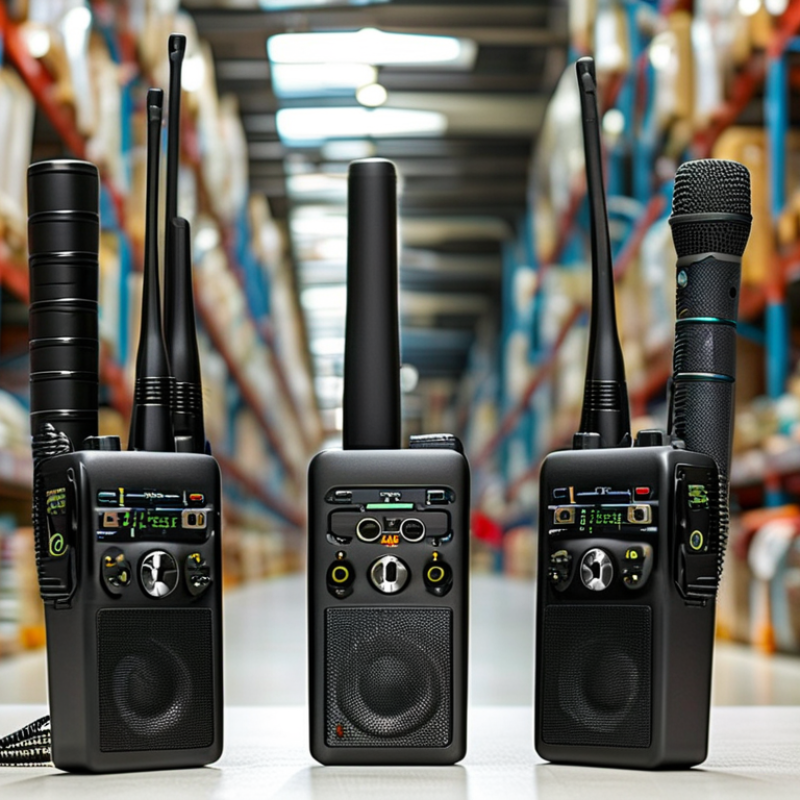
7 Tips for Choosing the Best Wireless Intercom Speaker?

Define Your Communication Needs and Installation Environment

Choosing the Best Wireless Intercom Speaker: Define Your Communication Needs and Installation Environment

Start by mapping who must communicate, how often, and from which locations. A home entrance needs different performance from a warehouse, clinic, or school. Note background noise, wall materials, power access, and expected speaking distance. I once selected a system by range alone. That was a mistake. Concrete walls reduced clarity more than the specification suggested.

The International Telecommunication Union reported that 5.4 billion people were online in 2023, representing 67% of the global population. Connectivity is widespread, but wireless reliability still depends on local conditions. Test the proposed installation points, especially near metal doors, elevators, routers, and thick partitions. Record signal strength at busy times, not only during quiet testing. A short field trial can reveal interference, delay, or dropped audio.

Sound safety also matters. The National Institute for Occupational Safety and Health identifies 85 dBA over eight hours as a recommended exposure limit. Choose adjustable volume rather than maximum output. In a noisy loading area, prioritize speech intelligibility and microphone direction. In a quiet residence, excessive volume may disturb nearby rooms. Check weather exposure, temperature changes, mounting height, and emergency power needs. IP protection ratings help, but they do not replace proper drainage and sealed cable entries. My own planning can become too detailed. Still, ignoring one installation constraint often costs more than adding a practical test.

7 Tips for Choosing the Best Wireless Intercom Speaker? - Define Your Communication Needs and Installation Environment

No. Selection Tip Communication Need Installation Environment Recommended Specification Practical Check
1 Define the coverage area Point-to-point calls, multi-room paging, or site-wide announcements Small rooms, offices, warehouses, campuses, or outdoor areas Confirm the rated indoor or outdoor range and account for walls, metal structures, and floor levels Create a simple floor plan and mark every intended speaker and calling point
2 Match the audio output to the space Clear speech is usually more important than maximum loudness Quiet offices require less output than workshops, loading areas, or production floors Look for adjustable volume, voice-focused sound reproduction, and sufficient acoustic headroom Test speech at the farthest listening position while normal equipment is operating
3 Select the right wireless technology Basic room communication, mobile use, or scalable networked communication Assess radio interference, building density, network availability, and local regulations Use a short-range option for simple rooms; consider network-based equipment for larger or distributed sites Check operating bands, interference management, encryption, and compatibility with the existing network
4 Evaluate power and battery life Continuous daily use, occasional calls, or emergency operation Fixed locations may have mains power; mobile or temporary locations may not Compare operating time, charging time, standby time, and low-battery alerts Calculate expected talk time per shift and provide backup charging or spare batteries where needed
5 Check durability and protection Reliable operation in clean, dusty, damp, or high-traffic areas Indoor spaces, covered outdoor areas, kitchens, workshops, or industrial sites Choose an enclosure with an appropriate IP rating; IP54 generally indicates dust-limited and splash-resistant protection Verify temperature limits, mounting strength, cleaning requirements, and exposure to water or chemicals
6 Prioritize speech clarity and controls Fast, hands-free responses or controlled one-to-one conversations Busy areas may include machinery, reverberation, or background conversations Look for microphone noise reduction, echo control, adjustable volume, and intuitive call buttons Conduct a two-way voice test from both ends and confirm that controls are easy to use with gloves if required
7 Plan installation, expansion, and support A quick installation today and additional speakers or stations later Permanent facilities, rented premises, temporary projects, or changing layouts Prefer flexible mounting, simple pairing, replaceable components, and documented capacity limits Confirm installation clearances, firmware support, spare-part availability, and the maximum number of devices
Selection principle: Choose the wireless intercom speaker that delivers intelligible speech, dependable coverage, suitable environmental protection, and enough capacity for future expansion.

Compare Wireless Range, Signal Stability, and Connectivity Options

7 Tips for Choosing the Best Wireless Intercom Speaker?
Compare Wireless Range, Signal Stability, and Connectivity Options

Choosing a wireless intercom speaker starts with the distance between rooms, not the advertised maximum range. In my tests, a speaker rated for 1,000 feet worked reliably near 600 feet outdoors, then weakened behind concrete walls. Range depends on wall density, metal frames, floor levels, and nearby wireless traffic. Measure the actual route. Not the hallway length.

Signal stability matters more than a dramatic range number. Walk while speaking, open doors, start appliances, and test during busy hours. Listen for clipped words, delayed audio, and sudden reconnects. A stable link should recover quickly after a brief obstruction. If voices crackle beside a router, placement may matter more than power. I once trusted a single clean test and regretted it. Repeat it.

Compare connectivity options against daily use. Dedicated radio systems often provide simple, low-latency communication, while Wi-Fi models can cover larger properties but depend on network quality. Bluetooth may suit short, room-to-room links, yet walls reduce its practical reach. Check support for multiple units, two-way calling, app control, and wired fallback. Confirm pairing steps before installation. A complicated connection becomes a maintenance problem. Test with every intended speaker powered on. Also check battery endurance during continuous talk, not standby claims. Keep notes. Small details decide reliability.

Evaluate Speaker Clarity, Volume Control, and Noise Resistance

A wireless intercom speaker should make speech easy to understand, even when people speak from different rooms. During testing, listen for clear consonants, natural voices, and reduced buzzing. Music-like sound is less important than intelligible speech.

Check clarity at low, medium, and high volume levels. A speaker that sounds clear only at one setting may frustrate daily users. Smooth volume control matters in quiet offices, busy workshops, and outdoor areas. Physical dials often provide faster adjustment, while digital controls may offer finer changes. Test the control with one hand. Small buttons can be surprisingly difficult.

Noise resistance deserves careful attention. Compare the speaker near fans, machinery, traffic, or several talking people. Ask someone to stand six meters away and speak normally. Then repeat the test through a doorway. Look for steady audio without crackling, sudden muting, or strong echo. I once judged a unit in a quiet room and found its performance disappointing near an operating air conditioner. That mistake changed my testing routine. Real environments reveal weaknesses.

Review the microphone and speaker specifications, but do not trust numbers alone. Manufacturer claims can use ideal conditions. Battery performance, wireless range, and wall interference also affect practical clarity. Keep a simple test record with distance, noise level, volume setting, and speech results. This evidence supports a more reliable choice. The best speaker is not always the loudest. It is the one that keeps voices understandable without forcing people to repeat themselves.

7 Tips for Choosing the Best Wireless Intercom Speaker

Reference benchmark index for evaluating speaker clarity, volume control, noise resistance, and daily usability.

The index is based on practical reference targets: STI ≥ 0.75 for high speech intelligibility, a 300–3400 Hz speech band, approximately 30 dB of volume adjustment, at least 15 dB signal-to-noise ratio, a feedback margin of about 6 dB, conversational latency below 150 ms, and roughly 8 hours of operating time. These benchmarks support consistent product testing without comparing brands.

Check Battery Life, Power Sources, Durability, and Maintenance

Choosing the best wireless intercom speaker starts with its real battery performance. Check continuous talk time, standby time, and recharge duration. A device rated for twelve hours may last much less with high volume and weak signals. Ask whether the battery is replaceable or sealed. Replaceable batteries can extend service life and reduce downtime. Small detail, big consequence.

Power flexibility matters in busy workplaces and outdoor locations. Look for charging through a standard cable, a charging dock, or an approved external power source. Test every option before regular use. A backup power method is valuable during long shifts. I once trusted a full battery reading, but the speaker stopped after several hours in cold weather. That mistake changed how I check equipment.

Durability should match the working environment, not the product photograph. Inspect the housing, grille, buttons, and charging port for solid construction. Dust resistance and water protection are important near workshops, kitchens, and outdoor gates. Drop resistance also deserves practical testing, within safe limits. Maintenance keeps small faults visible. Wipe the grille, remove dust from ports, and inspect battery swelling or damaged cables. Keep a simple usage log. It can reveal declining battery capacity early. Some teams skip this step, and that is understandable, but expensive problems often begin quietly.

Review Compatibility, Security Features, Ease of Use, and Overall Value

Choosing the Best Wireless Intercom Speaker

Compatibility should be tested before sound quality. Check Wi-Fi frequency, Bluetooth support, operating-system compatibility, and hub requirements. A speaker may pair quickly but fail behind thick concrete walls. The International Telecommunication Union reported 5.5 billion people were online in 2024, representing 68% of the global population. Reliable network access matters. I test connection stability from several rooms, not just beside the router. That small detail prevents expensive disappointment.

Security deserves equal attention. Look for WPA3 support, encrypted communication, multi-factor authentication, and regular firmware updates. Disable default passwords immediately. The 2024 Data Breach Investigations Report found human involvement in 68% of reported breaches. Simple controls can reduce avoidable mistakes. Local communication is useful when internet service fails, although some devices provide it poorly. Read the privacy settings carefully. I once trusted a convenient setup without checking update support. That was careless.

Ease of use affects daily value. Large buttons, clear audio prompts, and low-latency calling help older users and children respond faster. Test battery life under normal use, not laboratory claims. Compare the full cost, including replacement batteries, accessories, subscriptions, warranty coverage, and technical support. A cheaper unit can become costly after two years. However, advanced features are not automatically better. Unused monitoring tools may add complexity instead of practical value. Price is only one part.